What's new
DroidForums.net | Android Forum & News

This is a sample guest message. Register a free account today to become a member! Once signed in, you'll be able to participate on this site by adding your own topics and posts, as well as connect with other members through your own private inbox!

Wear screen shots.... What's your watch look like?

Watchmaker is back with Wear 6 though very much held back from Lua being disabled so might as well work with what's available .
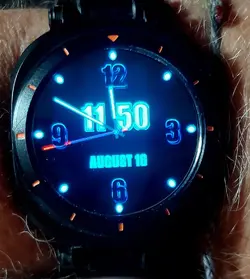
Neon Blue let's me concentrate on colors , fonts , layers , rotations , etc instead of complications hidden in the background .
This one doesn't have anything hidden but it sure is easy to see in direct sunlight, total darkness , or somewhere in between . I have several variations in different colors but this one shines brightest .
 

Attachments

  • 20250816_115043.webp
    20250816_115043.webp
    194.7 KB · Views: 0
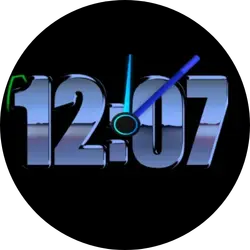
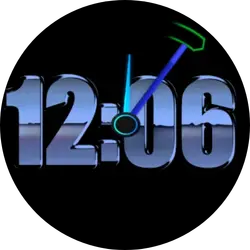
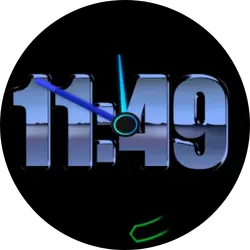
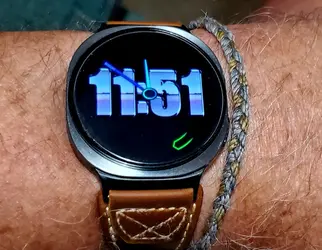
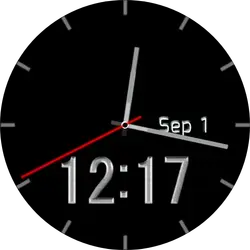
Squircle8. Something designed to bring out the graphite body of the watch .
Made with Watchmaker so again nothing going on in the background .
 

Attachments

  • Screenshot_20250901_120749_watchFrenzy.webp
    Screenshot_20250901_120749_watchFrenzy.webp
    12.2 KB · Views: 0
  • Screenshot_20250901_120607_watchFrenzy.webp
    Screenshot_20250901_120607_watchFrenzy.webp
    13.4 KB · Views: 0
  • Screenshot_20250901_114929_watchFrenzy.webp
    Screenshot_20250901_114929_watchFrenzy.webp
    12 KB · Views: 0
  • 20250901_115515.webp
    20250901_115515.webp
    227.6 KB · Views: 0
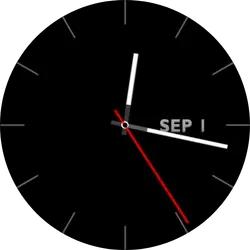
Analog and Simple
Brings out the gorgeous black of the Galaxy Watch series without a lot of imagery noise . Easy on the eyes and easy on the battery .
 

Attachments

  • Screenshot_20250901_121724_One UI Watch Home.webp
    Screenshot_20250901_121724_One UI Watch Home.webp
    7.7 KB · Views: 0
  • Screenshot_20250901_121740_One UI Watch Home.webp
    Screenshot_20250901_121740_One UI Watch Home.webp
    10 KB · Views: 0
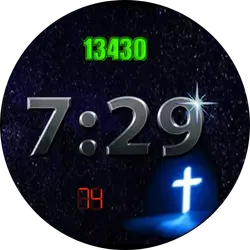
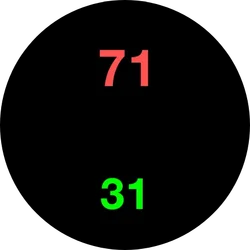
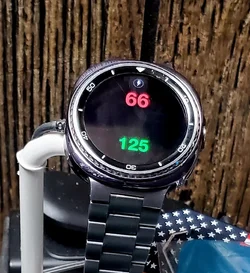
I have managed to figure out a few of the complications allowed with this new world of Watchmaker . Steps (green) and heart rate (red) are my first 2 visible . I've done a few invisible ones but they are hit and miss as far as opening when tapped .
 

Attachments

  • Screenshot_20250922_192915_Samsung Health.webp
    Screenshot_20250922_192915_Samsung Health.webp
    25 KB · Views: 0
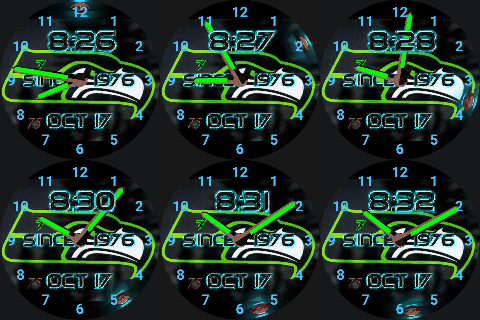
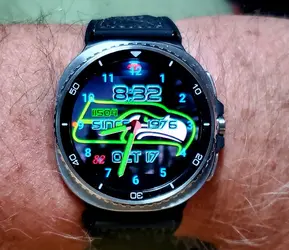
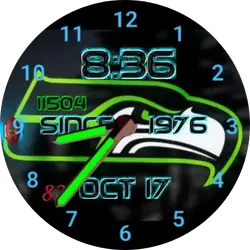
I've been a Seahawks fan since I saw them playing against the Buccaneers in the hall of fame game before they ever played a regular season game .
 

Attachments

  • share47.gif
    share47.gif
    769.9 KB · Views: 0
  • 20251017_203448.webp
    20251017_203448.webp
    322.5 KB · Views: 0
  • Screenshot_20251017_203644_One UI Watch Home.webp
    Screenshot_20251017_203644_One UI Watch Home.webp
    27 KB · Views: 0
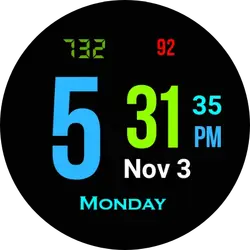
Just fiddling with some colors and fonts that are easy for my limited eyesight to easily pick up at a glance .
 

Attachments

  • Screenshot_20251103_173135_One UI Watch Home.webp
    Screenshot_20251103_173135_One UI Watch Home.webp
    12.8 KB · Views: 0
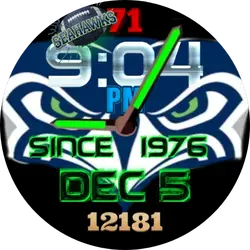
On a little different note I wanted to experiment with some old codes that worked prior to Wear 6 to see if the new WFF format allows them so I made my own second hand (the Seahawks logo football) and put in the code needed to make it work like the baked in ones . It seems to work fine . Any Lua coffee tap actions still don't work but there is getting to be a little more flexibility since the original change over . A couple of app updates perhaps are why .
 

Attachments

  • Screenshot_20251205_210456_One UI Watch Home.webp
    Screenshot_20251205_210456_One UI Watch Home.webp
    30.9 KB · Views: 0
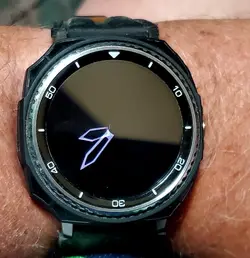
I don't usually mess with Always On Display , matching a have to a specific watch or any of that stuff but I couldn't let this design go . The Galaxy Watch 8 Classic has built in ticks on the frame so an analog have with them I'd redundant and too busy .
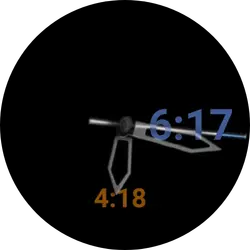
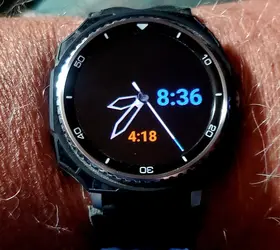
I made this one to take advantage of the ticks , of the black bumper case I have along with a black leather band and one of my bosses saw the date (where the digital time is now was the date ) and remarked about how cool it was to have dual modes . That night I changed the date area to digital time but kept the same shade of blue and added the date in a rust orange . I changed the opacity of the analog hands to allow the digital to be fully seen when they overlap and the digital is layered behind the analog for a more 3D look in person . The second hand is full opacity and layered on the very top , like a real analog watch would have .
The photo of the watch on looks like the digital time is a totally different shade of blue . That's a camera erroneous picture that I can't seem to edit to match the true color that you see on the screen shot .
The AOD is very battery friendly as I have everything except the home button disabled so the CPU isn't running full blast while the watch should be sleeping .
Working around Google crippling Watchmaker is getting better as Google is actually starting to let up a little on the choke hold they put on developers with UI 8 .
 

Attachments

  • Screenshot_20260418_061716_One UI Watch Home.webp
    Screenshot_20260418_061716_One UI Watch Home.webp
    7.8 KB · Views: 0
  • 20260418_203625.webp
    20260418_203625.webp
    257.9 KB · Views: 0
  • 20260418_203700.webp
    20260418_203700.webp
    191.5 KB · Views: 0
Watchmaker has added a new feature that Google didn't block or bastardize . Sounds .
On this simple offering tap the center for the current time . Tap the step count (green) for the current day/date. Tap the heart rate (red) to start the music player on either your watch or phone , depending on last usage .
The voice is set by the TTS engine on your given watch . I set mine to US Voice 2.
I have it set so when AOD is on it still activates with a tap but that's acting kinda wonky but I think that's the way AOD acts on Wear 6 and not Watchmaker .
Google is beginning to let loose on their stranglehold of developers and Watchmaker is taking advantage for its users .
 

Attachments

  • Screenshot_20260607_055527_One UI Watch Home.webp
    Screenshot_20260607_055527_One UI Watch Home.webp
    6 KB · Views: 0
  • 20260607_065349.webp
    20260607_065349.webp
    150.1 KB · Views: 0
Back
Top