What's new
DroidForums.net | Android Forum & News

This is a sample guest message. Register a free account today to become a member! Once signed in, you'll be able to participate on this site by adding your own topics and posts, as well as connect with other members through your own private inbox!

Your Nerd Station (post your pics)

Big Lou

Member
One thing I love seeing on forums is a picture thread for gaming/work/television setups. It's pretty cool to see what everyone has and why they have it set up the way they do. All you need to do is post a picture (or several) of your pride and joys--your computer, tv, or gaming setup!

I'll get us started:

wallmount.jpg


Just last night I wall mounted my monitor. It's a 24" and has a huge stand. This gave me almost 20% more desk space. Plus it's a swivel/tilt mount so I can point it directly at my bed for watching TV via Media Center. I don't have any access to behind the wall so I used a cable concealer to hide and organize all of my cabling (9 cables total) from my monitor to behind my desk.

I'm a graphic artist so I really need a lot of desk space (I'd honestly love 3 times the amount of surface, but this will do). I proudly have my wacom tablet displayed, and underneath my laptop is a light panel for sketches/tracing.
 
Last edited:
i like your setup! that keyboard shelf is huge. everything nice and clean too, very nice.

One thing I love seeing on forums is a picture thread for gaming/work/television setups. It's pretty cool to see what everyone has and why they have it set up the way they do. All you need to do is post a picture (or several) of your pride and joys--your computer, tv, or gaming setup!

I'll get us started:

wallmount.jpg


Just last night I wall mounted my monitor. It's a 24" and has a huge stand. This gave me almost 20% more desk space. Plus it's a swivel/tilt mount so I can point it directly at my bed for watching TV via Media Center. I don't have any access to behind the wall so I used a cable concealer to hide and organize all of my cabling (9 cables total) from my monitor to behind my desk.

I'm a graphic artist so I really need a lot of desk space (I'd honestly love 3 times the amount of surface, but this will do). I proudly have my wacom tablet displayed, and underneath my laptop is a light panel for sketches/tracing.
 
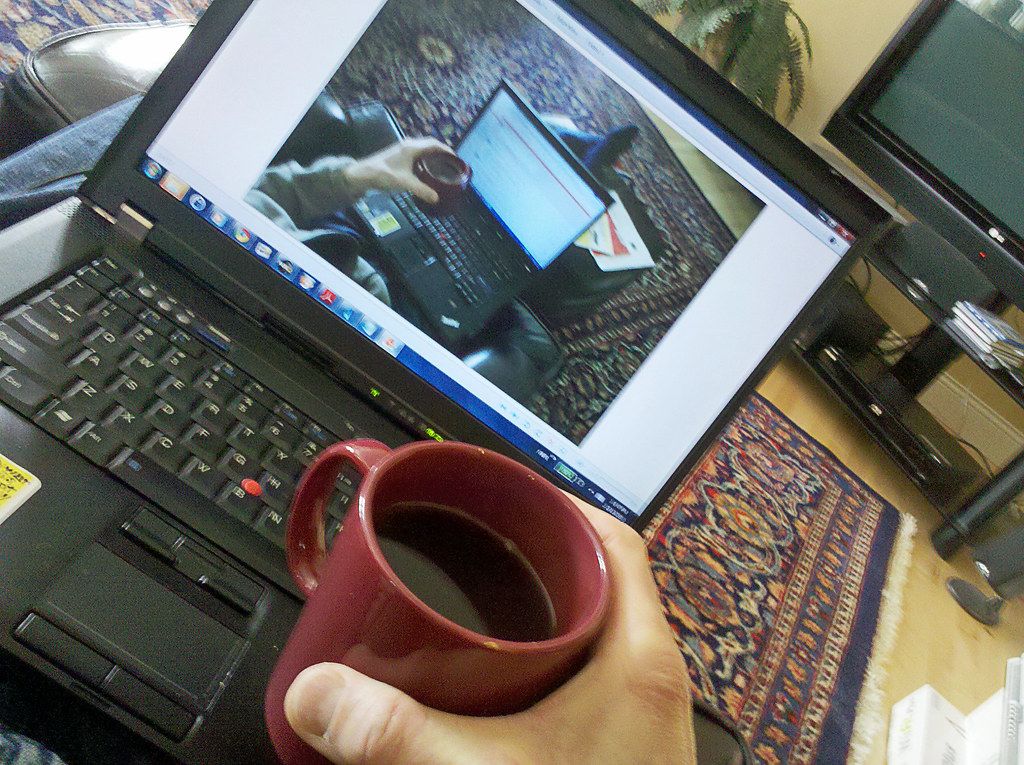
4354647574_31be181bef_b.jpg


That's me. Well, my hand. I have a couple other desktop computers but sitting on the chair with my feet up in front of the TV is my favorite spot...
The coffee is a MUST!

Monty
 
I can't take a picture of mine right now. I'm kind of embarrassed. I got stuff all over my desk. I'm very disorganized right now. LMAO :icon_ devil:
 
2009-12-13%2022.14.33.jpg


keeping it simple, with my ASUS G71, a few external hard drives, and my iPod Touch... taken with my Droid... note the toys on my desk :)
 
Dual 22inch LCD's in landscape mode. makes multitasking a WHOLE lot easier.

ThuFeb25173031AmericaNew_York2010.jpg

Interesting look. At work I have dual monitors in landscape mode. THe parts I design are wide and short. Landscape works great. But I can see an advantage to portrait when not in Solidworks or Autocad..
 
Hehe props on the futurama plug! Here's a quick shot of my geek cave (taken by my droid) though not near as clean as yours. Granted I use this for work and play. Mostly work lately...

Picture photoshop running on the laptop, 3dsmax on the left monitor and droidforums.net on the right monitor and you will see what makes my wife annoyed and my eyes burn...

...but it's worth it...
 
Last edited:
Dual 22inch LCD's in landscape mode. makes multitasking a WHOLE lot easier.

ThuFeb25173031AmericaNew_York2010.jpg

Interesting look. At work I have dual monitors in landscape mode. THe parts I design are wide and short. Landscape works great. But I can see an advantage to portrait when not in Solidworks or Autocad..
yea portrait makes reading web pages imo alot easier...kinda like reading web pages on the droid.
 
Back
Top